What does your perfect help desk solution look like? Too many businesses look at it like the emergency option or the place to go when you need immediate support, but that’s a hard way to judge its value to your business. When it’s not used, it might seem like you’re paying a whole lot for nothing much, but you can change this perception by reimagining what the help desk does for your business.
Most stories you consume will follow the format of introduction, rising action, conflict, falling action, and resolution. The tense parts of the story, the rising action and conflict, are what drive it forward, and they’re also what make things interesting along the way. That said, you can’t run your business like a story, and you can’t run your IT in this way either.
Business owners love to point to time theft and quiet quitting as reasons for lost productivity, seeing them as a decline in work ethic. Unfortunately, they are not seeing the forest through the trees in a lot of cases. Let's take a look at quiet cracking; or the slow, gradual breakdown of a knowledge worker's mental and emotional well-being under constant workplace pressure. It's not a sudden burnout, but a steady, silent erosion that's happening more than you might think.
For anyone that has a routine, there’s a real comfort in sticking with what you know. For instance, if your grandmother's famous blueberry cobbler recipe has been a hit for decades, you definitely don't mess with it. When it comes to your business’ technology, however, that old adage can actually get you into trouble.
See, ignoring your business tech and letting it get old can actually create some pretty big, hidden costs you might not even realize are there. Let's dig into those so you can truly appreciate why keeping your business tech up-to-date isn't just nice to have, it’s essential.
Today (as of when this was posted) is Friday, so ideally, the feeling in the office would be one of happy anticipation for the weekend… but what if a server crashes, and work gets put on pause, but all the deadlines still stand? This would undoubtedly put a damper on the weekend, and that’s the least of your worries. Who’s going to fix the server?
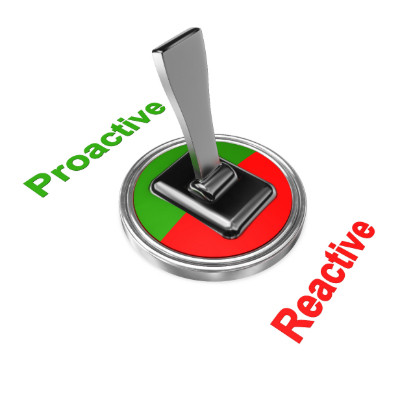
This kind of situation is precisely why modern businesses can’t afford to wait for things to go wrong, and need to have a resource on their side to proactively address these kinds of issues and catastrophes.
While you want to believe the best of your business, including your IT staff, it’s important to recognize when they’ve reached their limit regarding knowledge and workload. To combat these limitations, you can work with an outsourced IT provider. Combining the two can help you meet your business’ technology needs.
Starting a new business is an exciting experience, but choosing the right technology from the beginning plays a big role in how successful and secure your business will be. A strong IT plan keeps your operations running smoothly, protects your data, and makes it easier to grow over time. This month, we’re sharing practical steps to help you build one.
Technology plays a critical role in how businesses operate today. From websites and servers to email systems and cloud applications, most companies rely on a wide range of digital tools to stay productive and competitive. But what happens when something suddenly stops working?
That’s where IT monitoring comes in; and it’s more important than many people realize.
Want to run a business without technology? You’re in the wrong line of work; technology is so deeply ingrained in business that it’s not going anywhere. From your communication platform to your point-of-sale software, you need technology, and where there’s technology, there will inevitably be a need for technicians.
Imagine owning an elevator and only fixing it when it completely breaks down. Sounds ridiculous, right? Well, that’s basically what businesses do when they rely on a break/fix IT strategy.
Break/fix IT is exactly what it sounds like, you don’t call in the experts until something goes wrong. On the surface, it might seem like a way to save money, but in reality, it’s a recipe for stress, lost revenue, and major headaches. Let’s talk about why this approach just doesn’t make sense anymore.
Picture this: you or a team member encounters a technology issue in the middle of the workday. Simple, you might think… just call your in-house IT department. However, the members of your IT team are visibly overworked, scurrying around the office, trying to get some of the tasks off their to-do lists. They’re visibly running out of time, patience, or, most likely, both. It isn’t a good time to bother someone for help; that’s obvious, but what option is there?
Computer problems aren’t just annoying, they are a major impediment to a business’ overall productivity. There are several common problems that can slow down your computer, each with its own signs, causes, and fixes. This month we’re going to look at some of these problems and what the solutions are for them.
Human resources is not an easy game, as I’m sure your HR representatives would be happy to tell you if asked. Therefore, it is important that they have the tools needed for success today.
By this, we mean information technology that supports the everyday responsibilities and processes that an HR department is charged with completing. Let’s discuss some tools that you should incorporate into your processes.
Your organization’s technology doesn’t do you any good if it is inaccessible. That’s why having a thoroughly thought-out and carefully implemented plan to proactively keep ahead of technology issues is so important. This month, we want to talk a little bit about technology-related downtime and how to keep it from being a royal pain in your business’ rear.
In 1987, the United Nations defined sustainability as “meeting the needs of the present without compromising the ability of future generations to meet their own needs.” Today, almost 40 years later, businesses have various options to help promote their own sustainability. Let’s discuss just a few options and how we can help you enact them.
After the major flop that was Windows 8 and the 8.1 Update, Microsoft hit a home run with Windows 10 in both the personal and professional contexts. However, Windows 11 is now in a position to succeed Windows 10, and Microsoft is making plans to end support for Windows 10. Here’s what you’ll need to know.